The best screenwriting software supports your entire writing process, from developing the idea to building the outline, drafting the script, getting feedback, revising the structure, and writing the next draft. If you’re co-writing, the software also needs to support multiple collaborators working together throughout that process. It’s not enough to merely format the script to industry standards.
At the heart of this process is the story. You develop it, give it structure in an outline, and put it on the page as you write scenes. Then you get notes from trusted reviewers and rethink parts of the story. For the next draft, you might move scenes you’ve already written, cut others, and add new ones. There are a lot of moving parts, and the best screenwriting software helps you work through them with as little friction as possible.
This article reviews the story development, outlining, and revision workflows in Arc Studio, WriterDuet, and Final Draft, including both Final Draft 13 on desktop and Final Draft Cloud. We’re publishing this at Arc Studio and comparing the same stages of the writing process in each app. We encourage you to try the apps yourself and see which approach best matches how you write.
Arc Studio is our pick for screenwriters who want to keep developing the story throughout the entire writing process of ideation, outlining, drafting, and revising. Its outline beats can stay linked to the screenplay, so moving a beat can also move the scenes it covers. WriterDuet is a strong choice if you outline and rearrange by scene or sequence. Final Draft 13 suits writers who want a freeform brainstorming board and a page-based outline. Final Draft Cloud is best suited to drafting and reviewing screenplay pages in a browser.
1. Developing the idea
Early in a project, you might know what your protagonist wants before you know what they’ll do to get it. You need room to try out motives, relationships, and possible turning points. Some of that work will become scenes. Some of it will help you understand the story even if it never appears on the page.
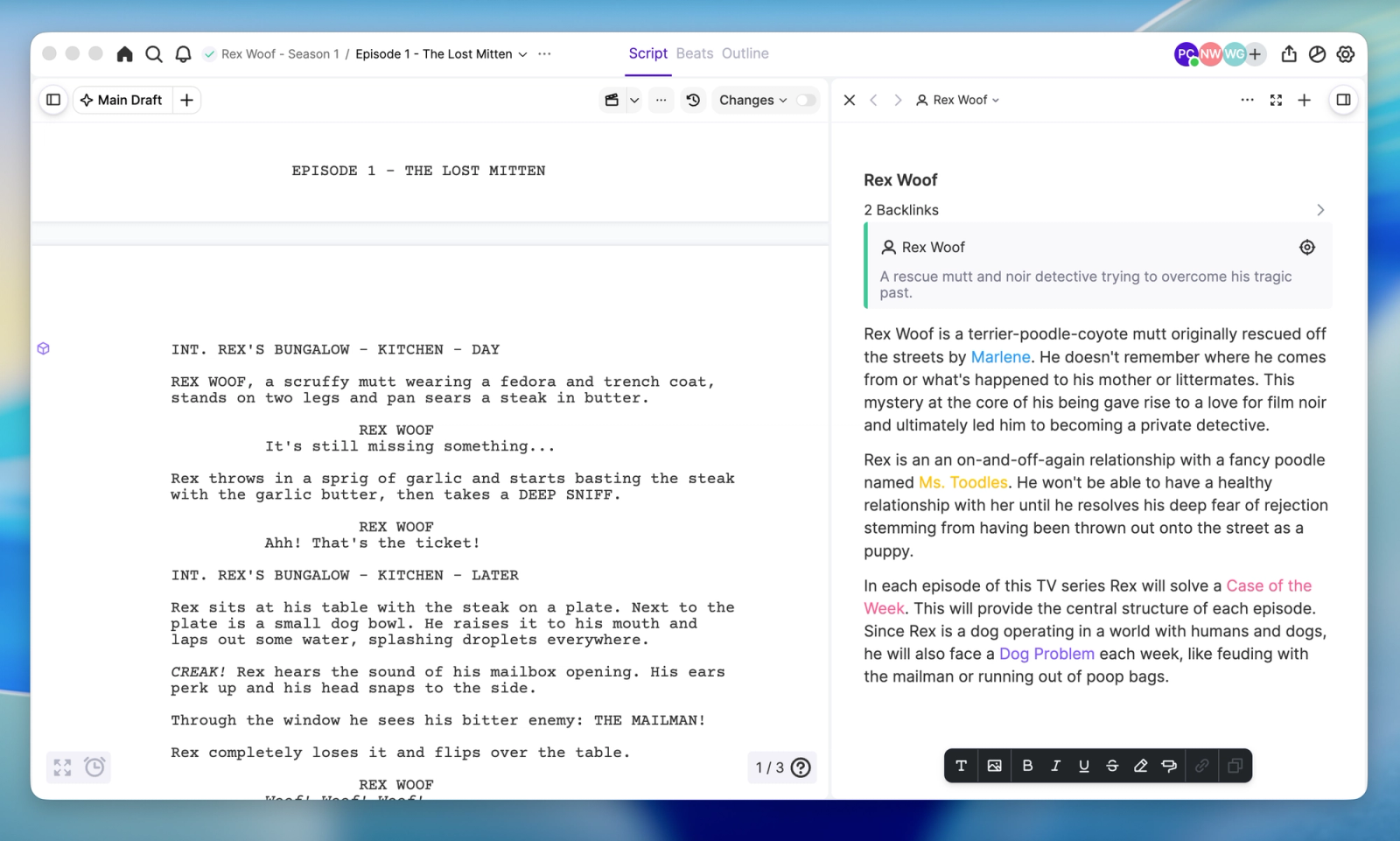
Arc Studio’s integrated Notes app gives that work a home. You can keep one note for the premise, another for a character, and another for questions you and your co-writer are still working through. Link them together so you can jump from a character profile to the notes about a key relationship.
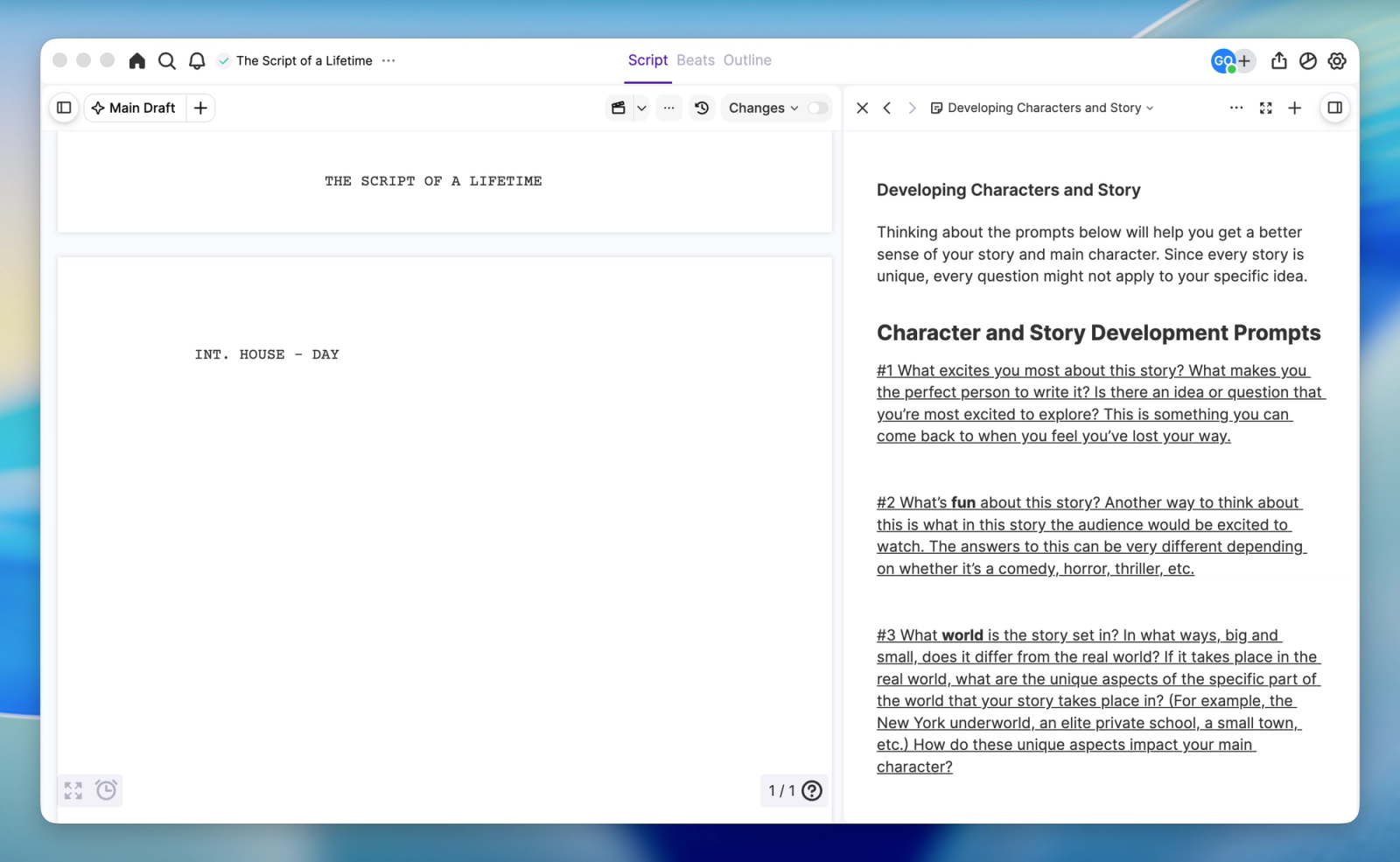
If you like using worksheets to develop your idea, characters, or story, you can import them into Arc Studio as notes templates or create custom worksheets of your own.
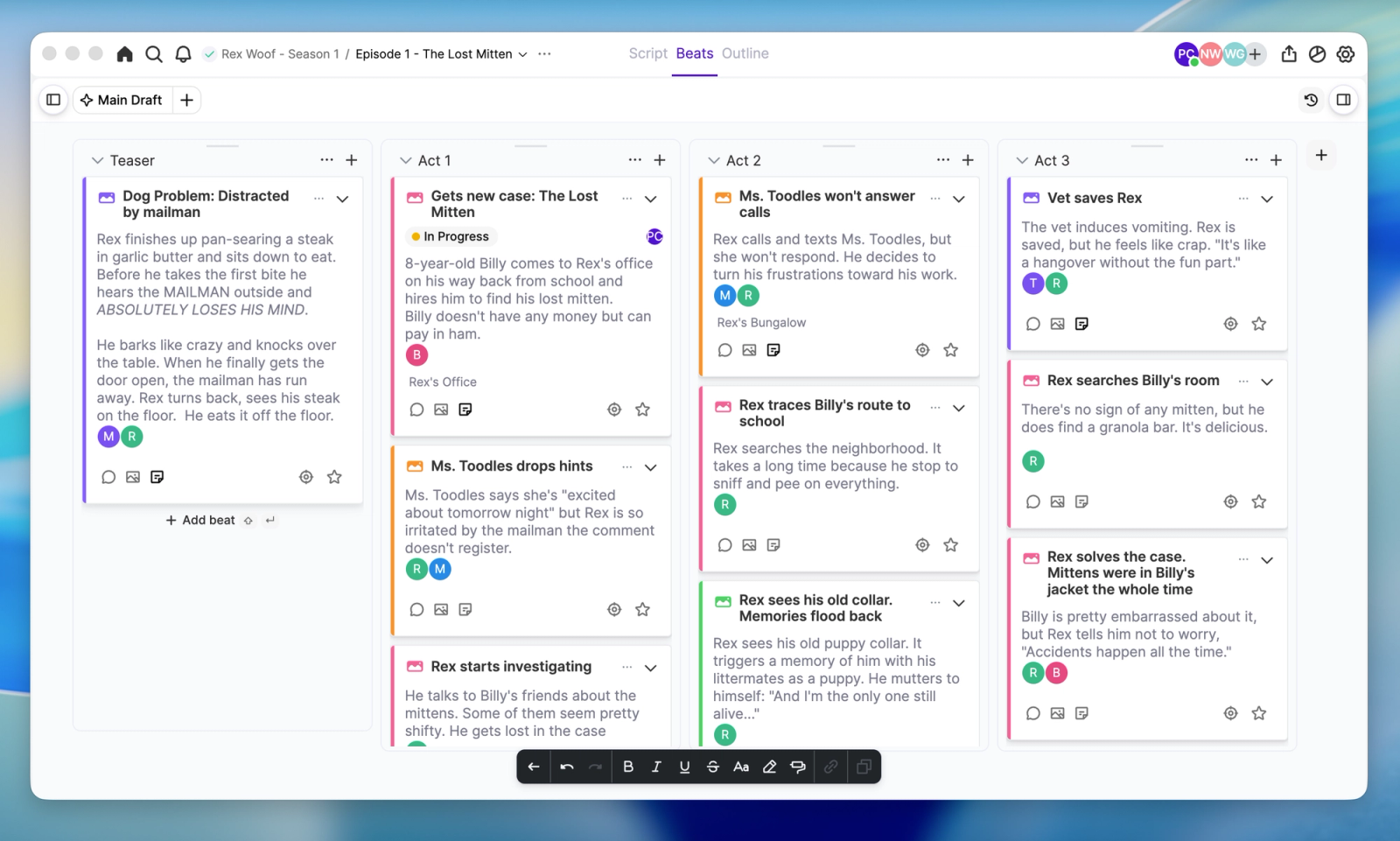
As you come up with moments you want in the story, turn them into beats on the Plot Board. You can start arranging those beats while the larger idea is still taking shape in Notes. Arc Studio Plot Board guide
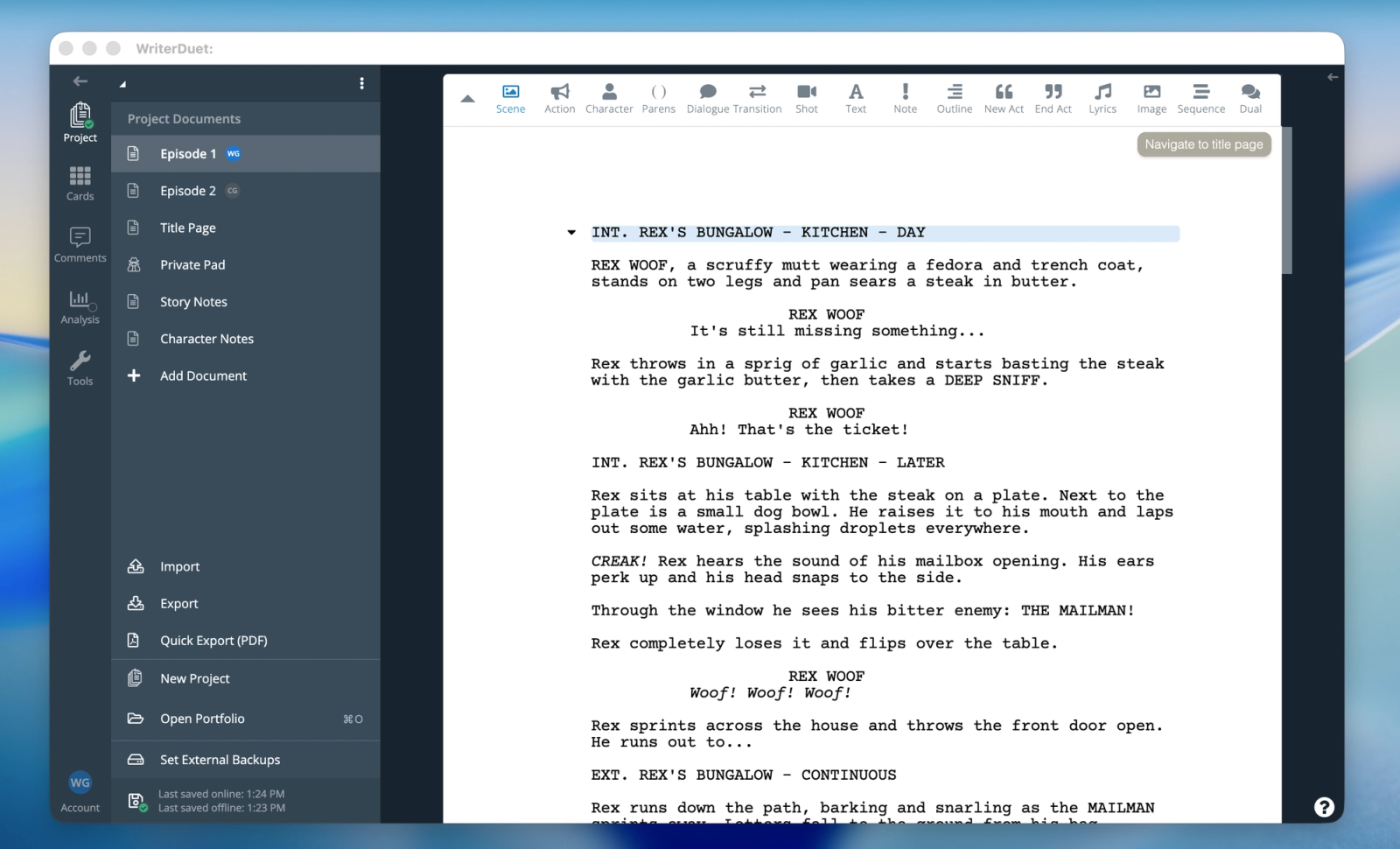
In WriterDuet, you can keep a premise, treatment, or character document alongside the script in the same project. That works well if you like to write your way into a story, since a development document can hold more than you’d typically put on a card.
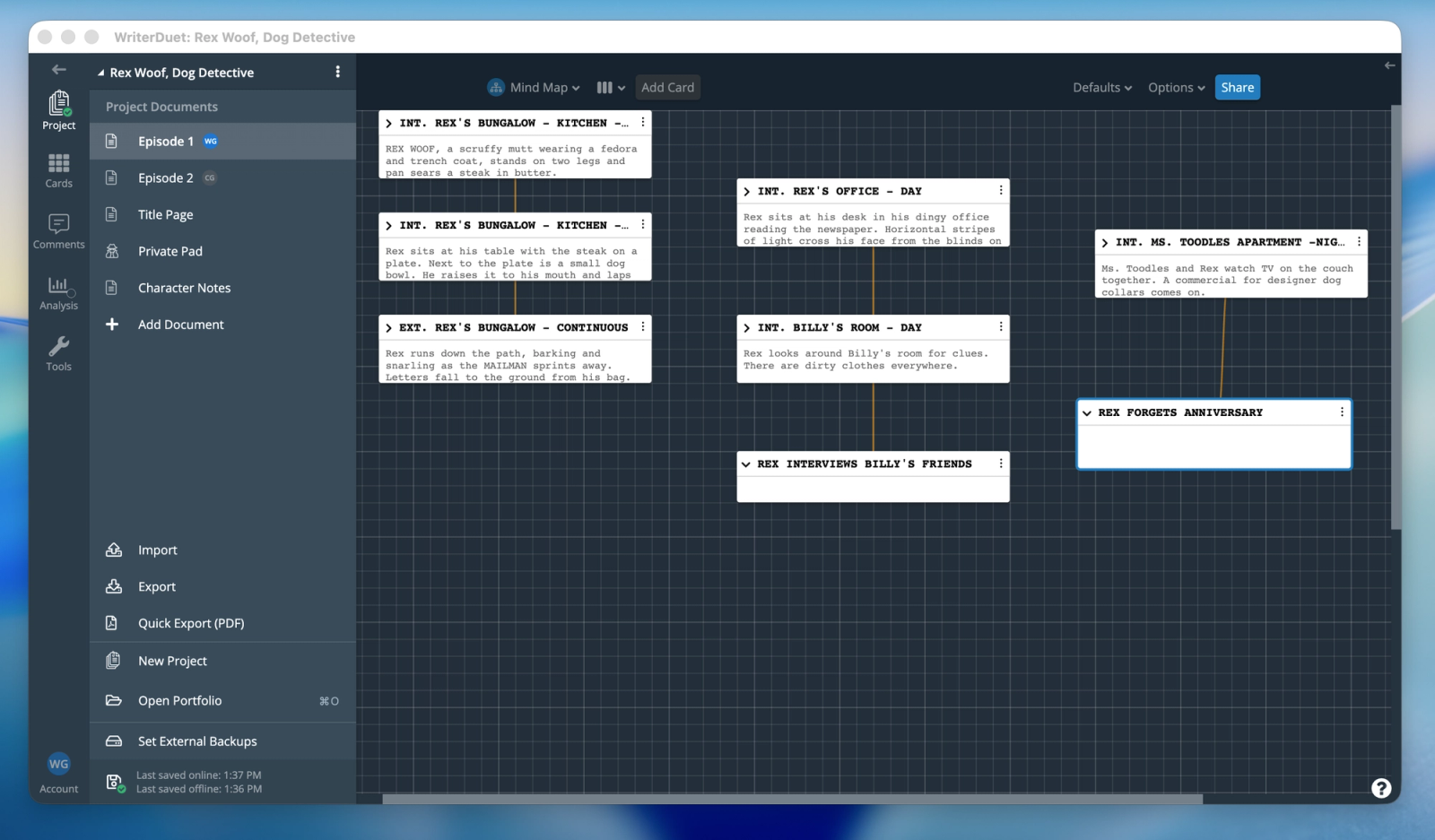
When you want to see how ideas relate, Mind Map lets you spread out cards and connect them. The script’s own cards can also appear there, so the map can stay useful once you have scenes to work with. WriterDuet projects and documents · WriterDuet Mind Map
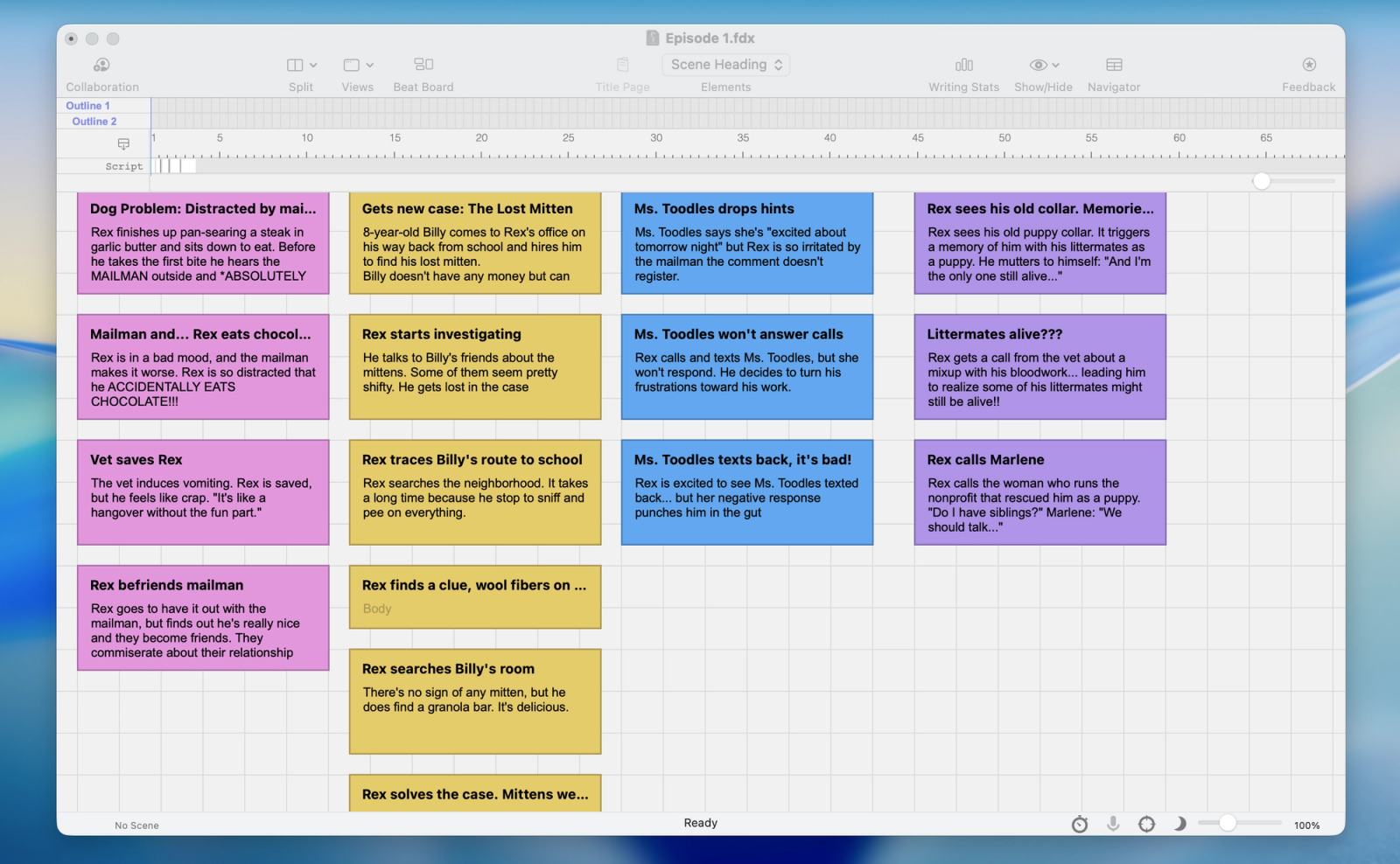
Final Draft 13 gives you a freeform Beat Board. Put a character idea beside several possible endings, cluster related story points, or leave an interesting scene fragment off to the side until you know where it belongs. Co-writers on the same desktop version can work on the board together in a hosted session. In Final Draft Cloud, the browser editor is built around the screenplay. ScriptNotes are useful when an idea comes to you while you’re looking at a passage. For a visual brainstorm, you can open the project in Final Draft 13 or develop the idea in a separate document. Final Draft Cloud itself does not contain a Beat Board. Final Draft Beat Board · Final Draft collaboration · Final Draft Cloud outlining tools
Takeaway. Choose Arc Studio for linked development notes, reusable worksheets, and a way to turn discoveries into beats. Choose WriterDuet if you like separate development documents or a map of how ideas connect. Choose Final Draft 13 if you want a shared, freeform brainstorming board. Choose Final Draft Cloud if you brainstorm elsewhere and mostly want a place to capture ideas that come up while writing.
2. Building the outline
Once you know enough about the story to put events in order, the outline gives you a way to see what’s missing. You might notice that a subplot disappears for half an act, or that a character makes a decision before the audience understands what’s at stake.
In Arc Studio, you can arrange beats by act on the Plot Board and read the same material in the linear Outline view. A beat can represent a moment within a scene or a turning point that takes several scenes to play out. You can start with a blank board, use a preexisting outlining template, or create your own template to use again. As the story develops, create Story Element cards for characters, storylines, and locations. Each can hold notes, and you can tag beats with the elements that belong there. Color coding makes it easier to see how storylines and characters are represented in your outline.
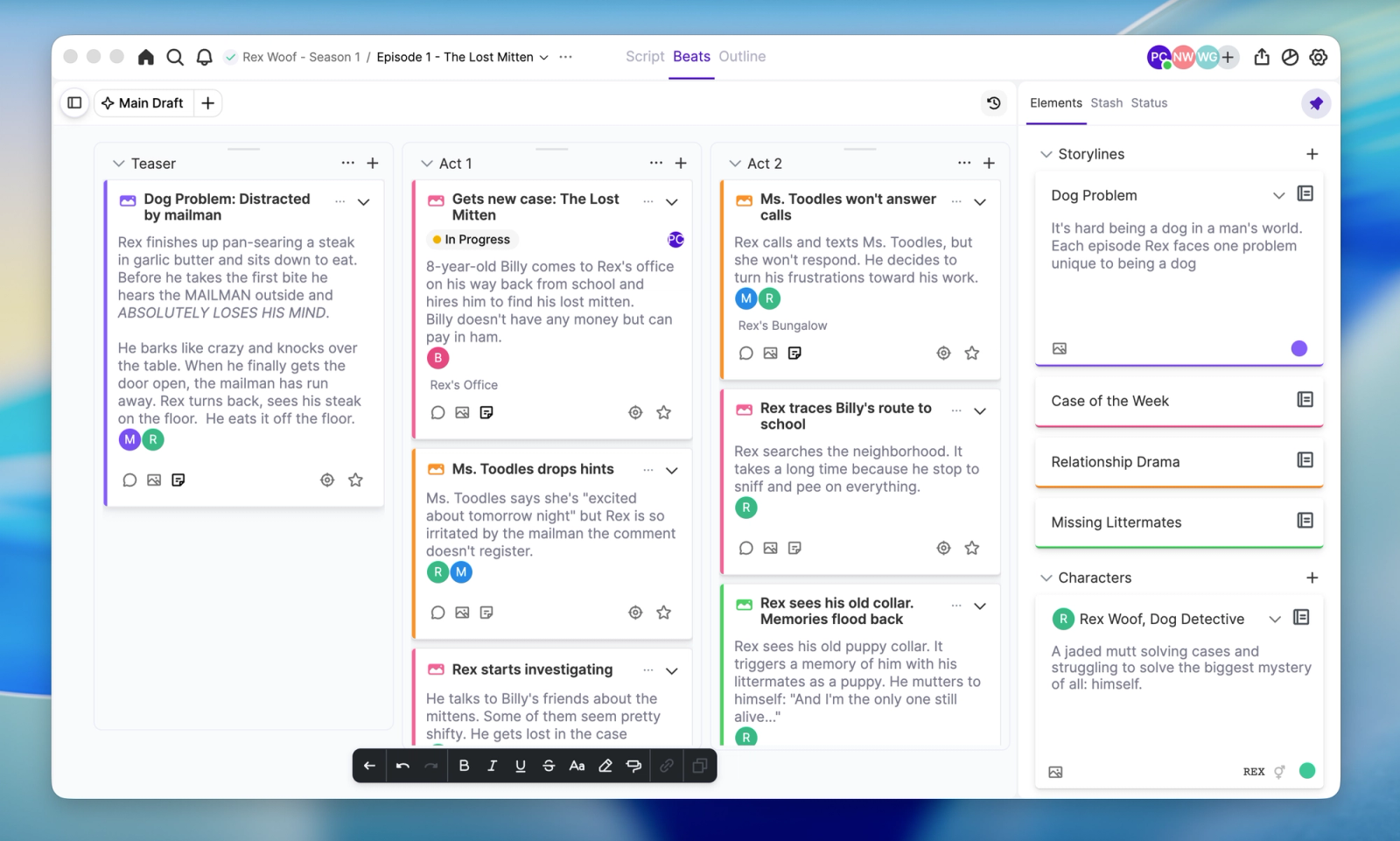
Filters highlight the beats associated with the elements you select, so you can follow one thread through the larger outline. And if a co-writer has a question about a beat, they can comment directly on it. Arc Studio Plot Board · Arc Studio outlining templates
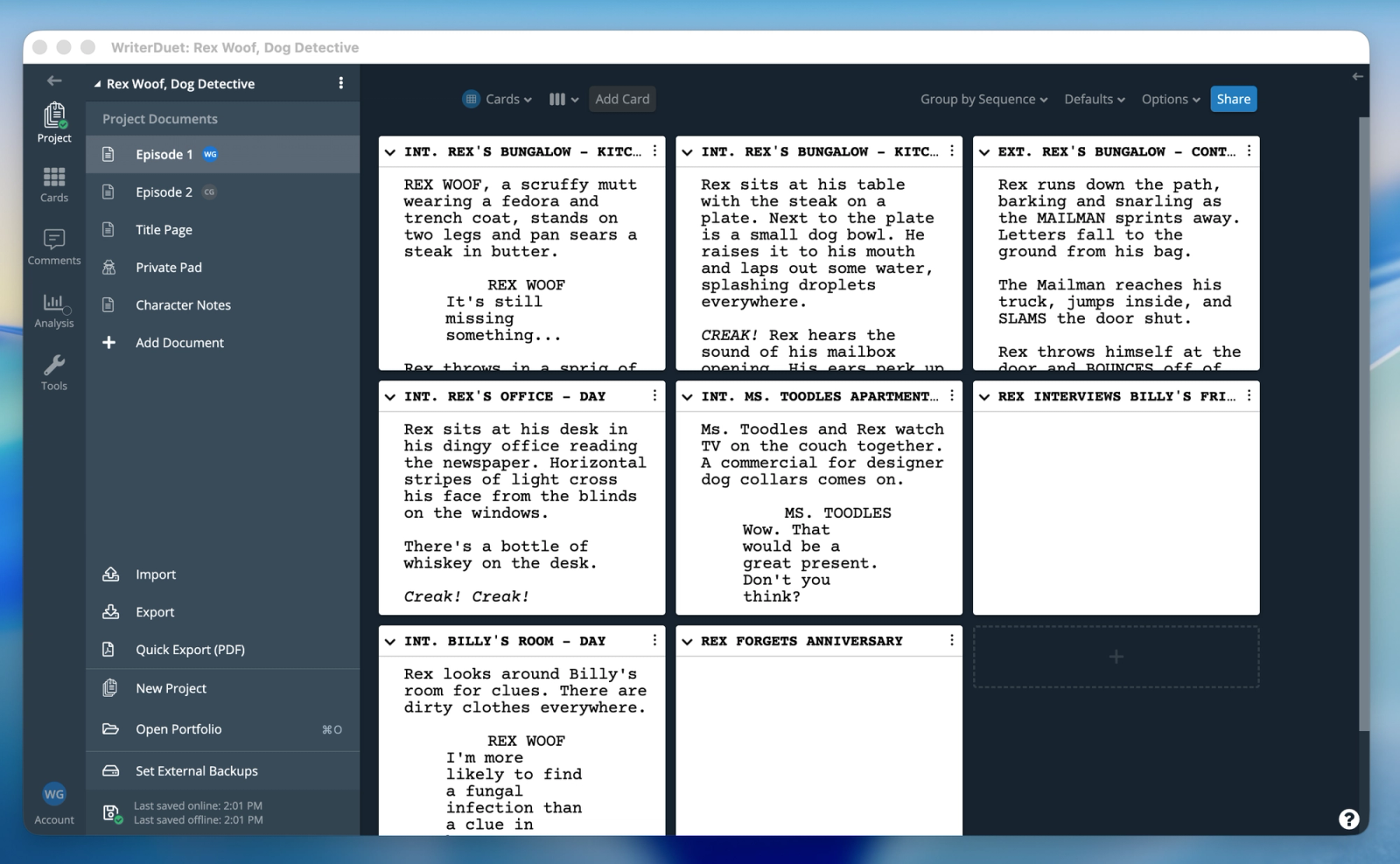
WriterDuet works especially well when you already think in scenes. Use Cards View to lay them out, then add Outline lines describing what you want each scene to accomplish. Turn on Outline Mode to focus on the headings and summaries. Sequence lines let you group scenes so you can collapse or move them together. If you’re still weighing connections between scenes, you can arrange them in Mind Map while keeping their screenplay order intact. WriterDuet Mind Map
In Final Draft 13, you take the ideas you want from the Beat Board and place them in the Outline Editor. Its two horizontal lanes let you map larger turns and the smaller beats within them. Because the lanes run along a page-based timeline, you can use the editor to think about when a turn should land and how much room the surrounding material needs. Final Draft Cloud leaves this visual planning step to the desktop app. If you’re working entirely in the browser, you’ll be referring to a separate outline or keeping simpler planning notes in the script. Final Draft Cloud outlining tools
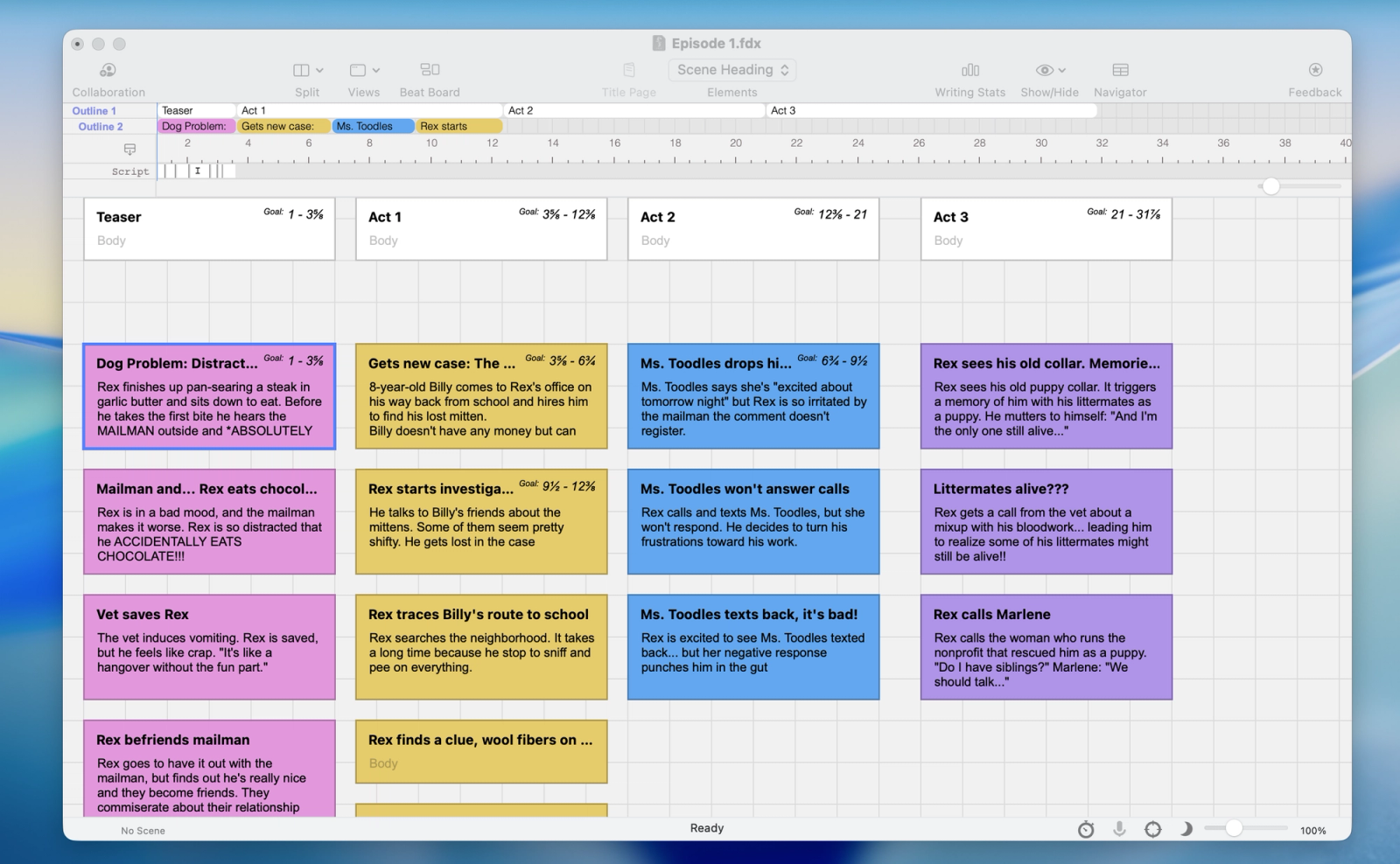
Takeaway. Choose Arc Studio to outline around beats, follow characters and storylines visually, and discuss the plan directly on the board. Choose WriterDuet to build the outline scene by scene. Choose Final Draft 13 to lay out major and minor beats along a page-based timeline. Choose Final Draft Cloud if your outline already lives elsewhere and you’re ready to work on screenplay pages.
3. Using the outline to write scenes
The outline earns its keep when you’re in the middle of writing a scene. You might want to check what the scene needs to set up, or remind yourself what a character knows at this point in the story. How readily you can get to that information affects whether you’ll keep using the outline as you draft.
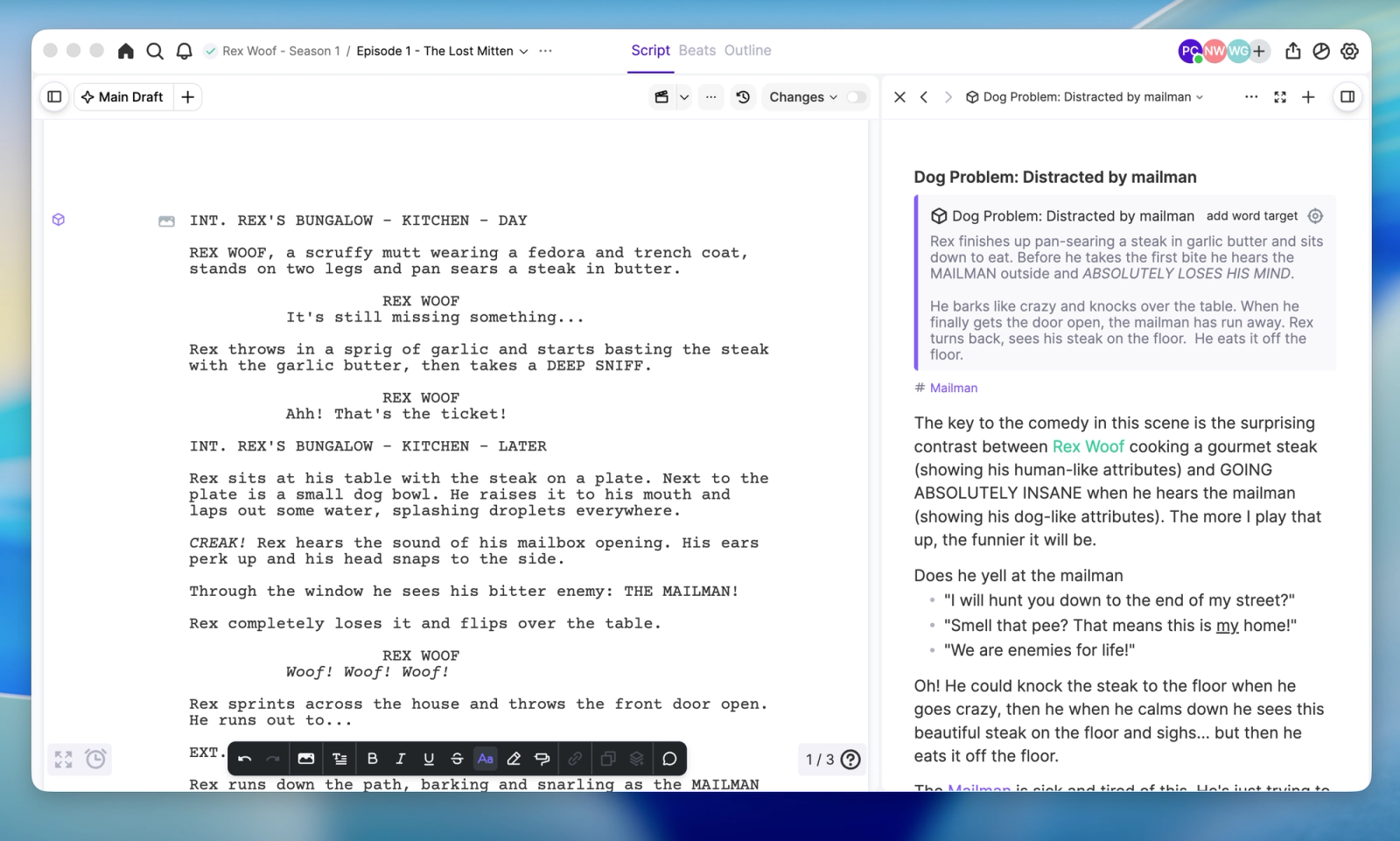
In Arc Studio, the beat titles appear as prompts in the screenplay, and you can see the synopsis of each beat beside the script so you know what to write in the scene. The Notes sidebar also gives you access to character work, research, and other development notes in the script view. If you discover that a beat needs another scene, you can keep writing within that part of the story. If the story takes an unexpected turn, you can add a beat from the page and develop it on the board later. Arc Studio Plot Board
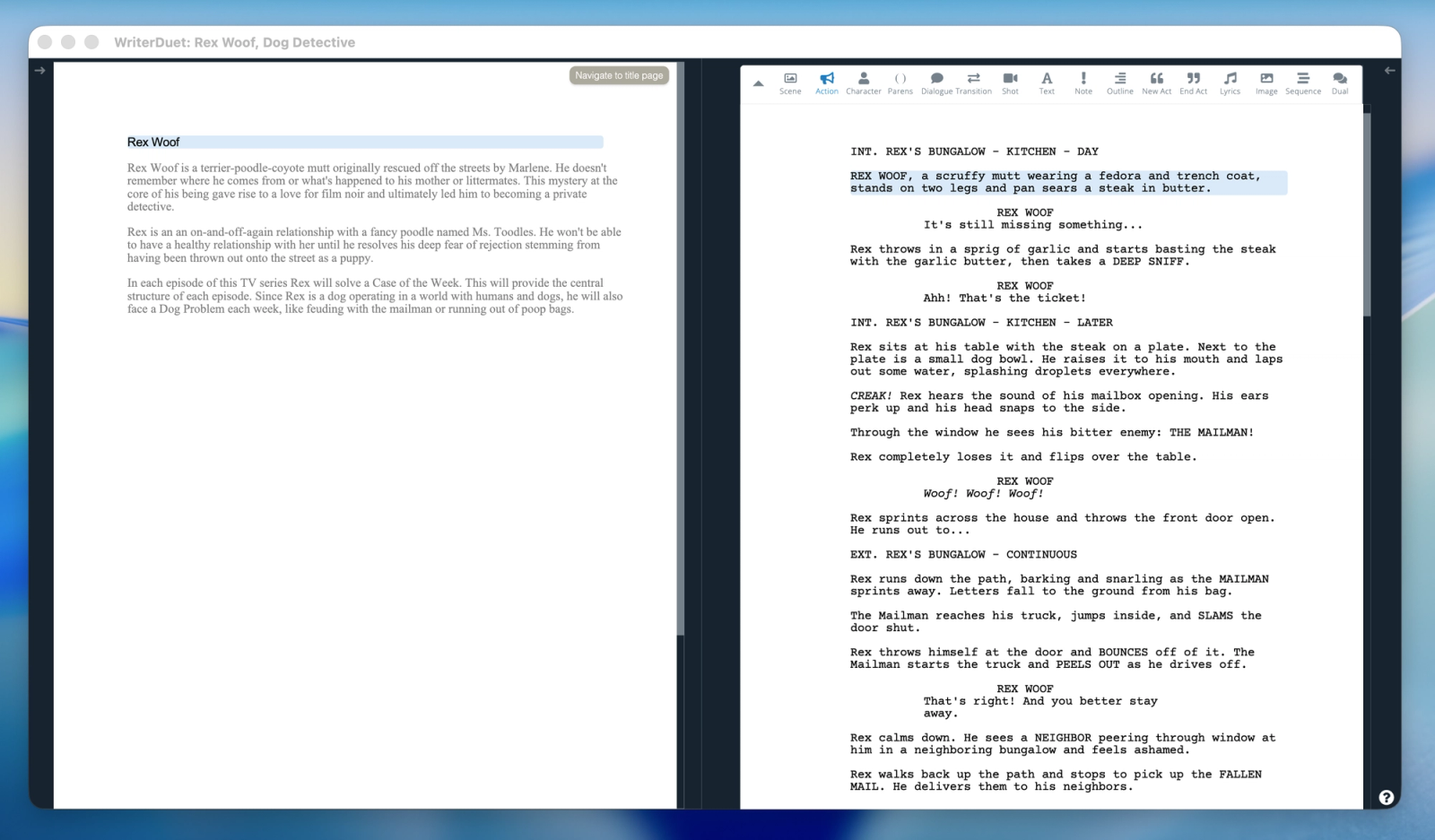
In WriterDuet, you can show Outline lines directly in Page View, so a scene’s summary is right where you’re writing. The Cards widget gives you a compact view of the surrounding scenes. If you want more room for the outline, use Split Pane to keep the screenplay in one pane and Cards View, Mind Map, or a separate document in the other. In Cards View, you can turn on Outline Mode to focus on scene headings and summaries while you draft. WriterDuet Split Pane · Outline Mode
Final Draft 13 gives you several ways to keep the plan in sight. Keep the Outline Editor open above the screenplay to see where beats fall along its page-based timeline. If you want to refer to the Beat Board or Index Cards as you write, use View → Split to show them beside or above the script. You can also use Send to Script to copy outline elements directly onto the page as writing prompts and hide them when you’re ready to read the draft. In Final Draft Cloud, you can refer to ScriptNotes as you write in the browser. If you work from a separate outline, keep it open alongside the screenplay. Final Draft’s Beat Board and Outline Editor are available in Final Draft 13 on desktop. Final Draft Outline Editor · Split view · Outlining in Final Draft
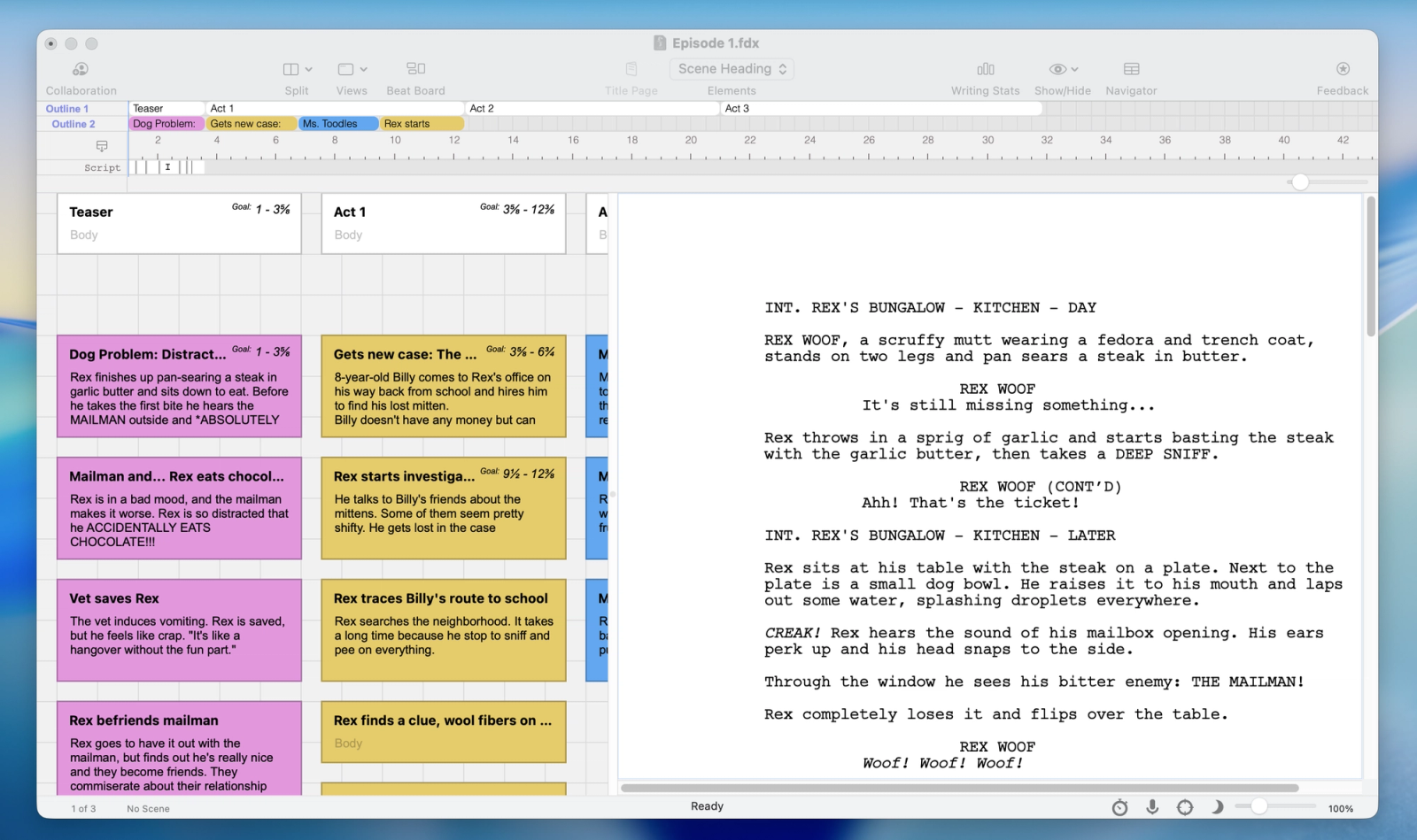
Takeaway. Choose Arc Studio to keep both your story beats and your development, story, and character notes visible as you write. Choose WriterDuet if you want to draft beside a scene-card outline, a mind map, or a separate development document. Choose Final Draft 13 if you want to draft with a page-based outline above the script, a Beat Board beside it, or outline prompts directly on the page. Choose Final Draft Cloud if ScriptNotes or an open reference document give you enough context.
4. Getting feedback on the script
A producer or member of your writers’ group reading your latest draft and a co-writer helping you revise it need different kinds of access. The producer needs to read the pages and leave notes. Your co-writer may also need to edit scenes and discuss changes to the outline.
In Arc Studio, you’ll need Pro to send collaborator invitations or create feedback links. If you’re sharing a standalone script, you can email someone a guest invitation so they can give notes without making an account. If the script lives inside an Arc Studio project, invite them through their account. A co-writer can work on the screenplay with a free account. They’ll need their own Pro subscription if they also want to work in the outlining tools. Arc Studio pricing · Collaboration and feedback
Readers can comment on a passage or leave a note about the draft as a whole. When a note calls for a change to the story, you and your co-writer can continue the discussion directly on the relevant beat in the Plot Board or Outline. You can also tag comments with custom hashtags such as #structure or #dialogue, then filter by tag in the Comments sidebar. That makes it easier to address the structural notes first and come back to dialogue once you know which scenes are staying. Arc Studio comments and tags
In WriterDuet, a project admin can publish a ReadThrough link to the draft they want reviewed. Anyone with the link can read that version and leave comments without a WriterDuet account. The notes come back into the WriterDuet document. If you’re inviting someone to write with you, one of you needs a paid plan starting at Plus. The writer on the paid plan can invite the other to join with a free account. ReadThrough · Sharing and co-writing · WriterDuet plans
With Final Draft 13, you can send a PDF to any reader and get their notes back by email or in an annotated copy. (Arc Studio and WriterDuet also let you export a PDF to send if you prefer getting feedback this way.) If they already use Final Draft, you can exchange the screenplay file with ScriptNotes attached. You can also walk through the feedback together in a live session. To join that session, your co-writer needs access to Final Draft 13 on desktop. Final Draft ScriptNotes · Desktop collaboration
In Final Draft Cloud, a subscriber can invite someone from the Vault as a Reviewer. The reader can sign up for free Reader Mode and add ScriptNotes to the shared screenplay in their browser. If you want them to edit the screenplay with you, they’ll need a Cloud subscription and Editor access. Sharing with nonsubscribers · Final Draft Reader Mode
Takeaway. Choose Arc Studio if feedback often sends you back to the outline. You can discuss a change on the beat it affects and use custom tags to organize your rewrite. WriterDuet’s ReadThrough is particularly handy when you want several outside readers to comment on the same snapshot of a draft while you keep writing. Final Draft 13 fits teams that already exchange Final Draft files with ScriptNotes or work through feedback in live desktop sessions. Final Draft Cloud makes sense for teams already working in Final Draft that want outside readers to add ScriptNotes to the shared file in a browser.
5. Revising the outline
Some notes are easy to address on the page. Others change what the whole draft is doing. If a reader suggests revealing something earlier, you may need to move a sequence, rethink what the audience knows in the scenes that follow, and find a new purpose for the scene where the reveal originally happened.
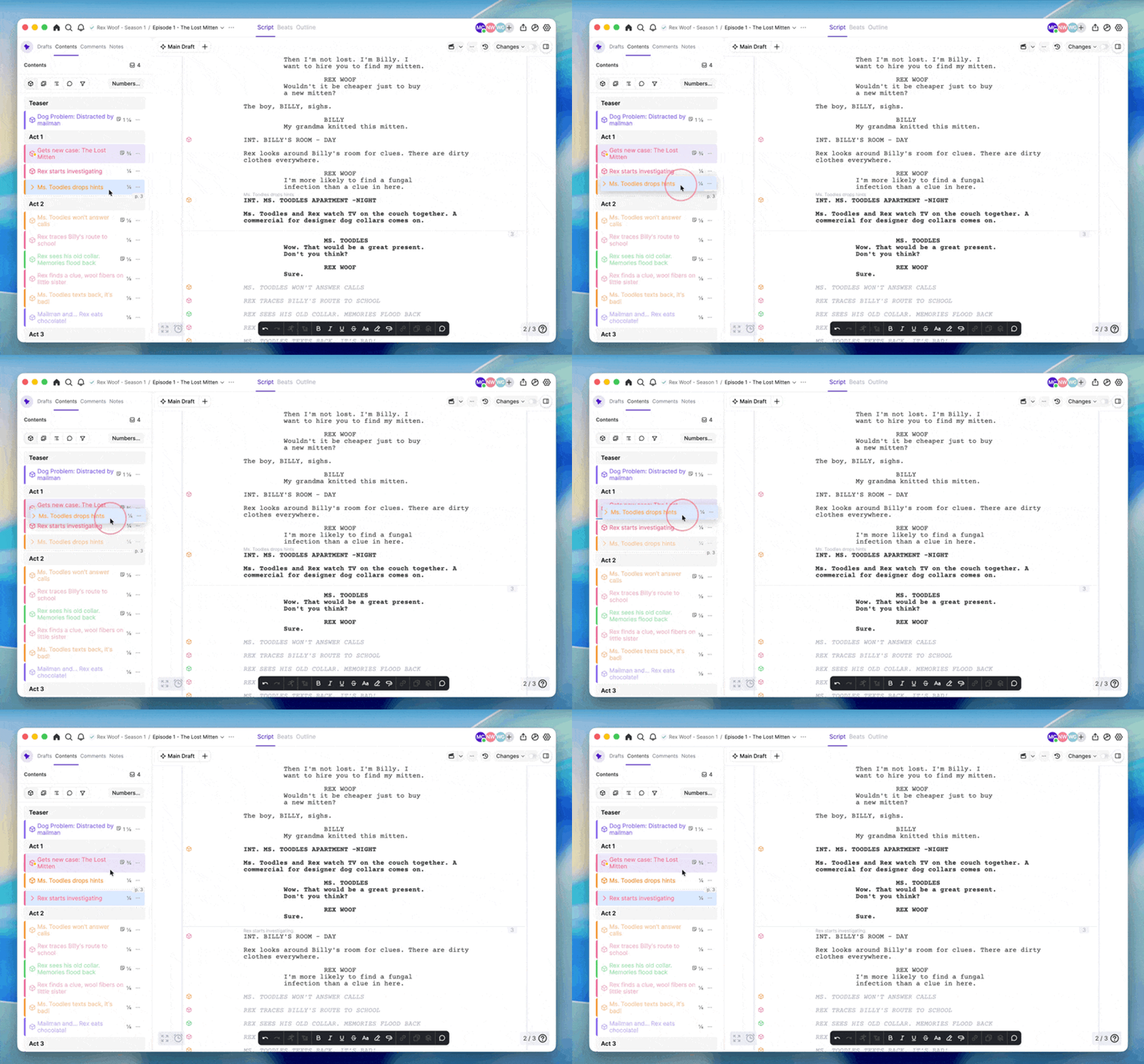
In Arc Studio, go back to the Plot Board or Outline and work through the change at the beat level. You can use Story Element filters to check which later beats involve the characters or storylines affected. When you drag a linked beat on the Plot Board, the section of the screenplay it covers can move with it, even if that section spans several scenes. Arc Studio Plot Board · Connecting beats to scenes · Moving beats
WriterDuet lets you explore the change in Mind Map and then apply it in Cards View. If the scenes belong together, move them as a sequence. If you want to move just one scene, drag its card. If you’ve kept a separate prose outline, update it once you’ve settled on the new order. WriterDuet Mind Map · WriterDuet scene reordering · WriterDuet sequences
In Final Draft 13, you can use the Beat Board to sketch out options, then reposition the beats in the Outline Editor to see how the revised structure lands. The plan and the drafted scenes are separate at this stage, so you’ll apply the new order to the screenplay in a separate pass. With Final Draft Cloud, revise the outline in whatever tool you used to create it. If that was the Beat Board or Outline Editor, make the planning changes in Final Draft 13. Final Draft Cloud outlining tools
Takeaway. Choose Arc Studio if you want a change to a story beat to carry the relevant pages with it. Choose WriterDuet if you explore changes visually and commit them by moving scenes or sequences. Choose Final Draft 13 if you prefer to settle the new outline before touching the pages. Choose Final Draft Cloud if you’re comfortable making structural decisions in another workspace.
6. Revising the script
Once the scenes are in their new order, you can see what the rewrite actually asks of you. An exchange might now give away information too early. Another scene might need a different ending because the audience already knows something it didn’t know before. Moving the pages gets you to the point where you can make those decisions in context.
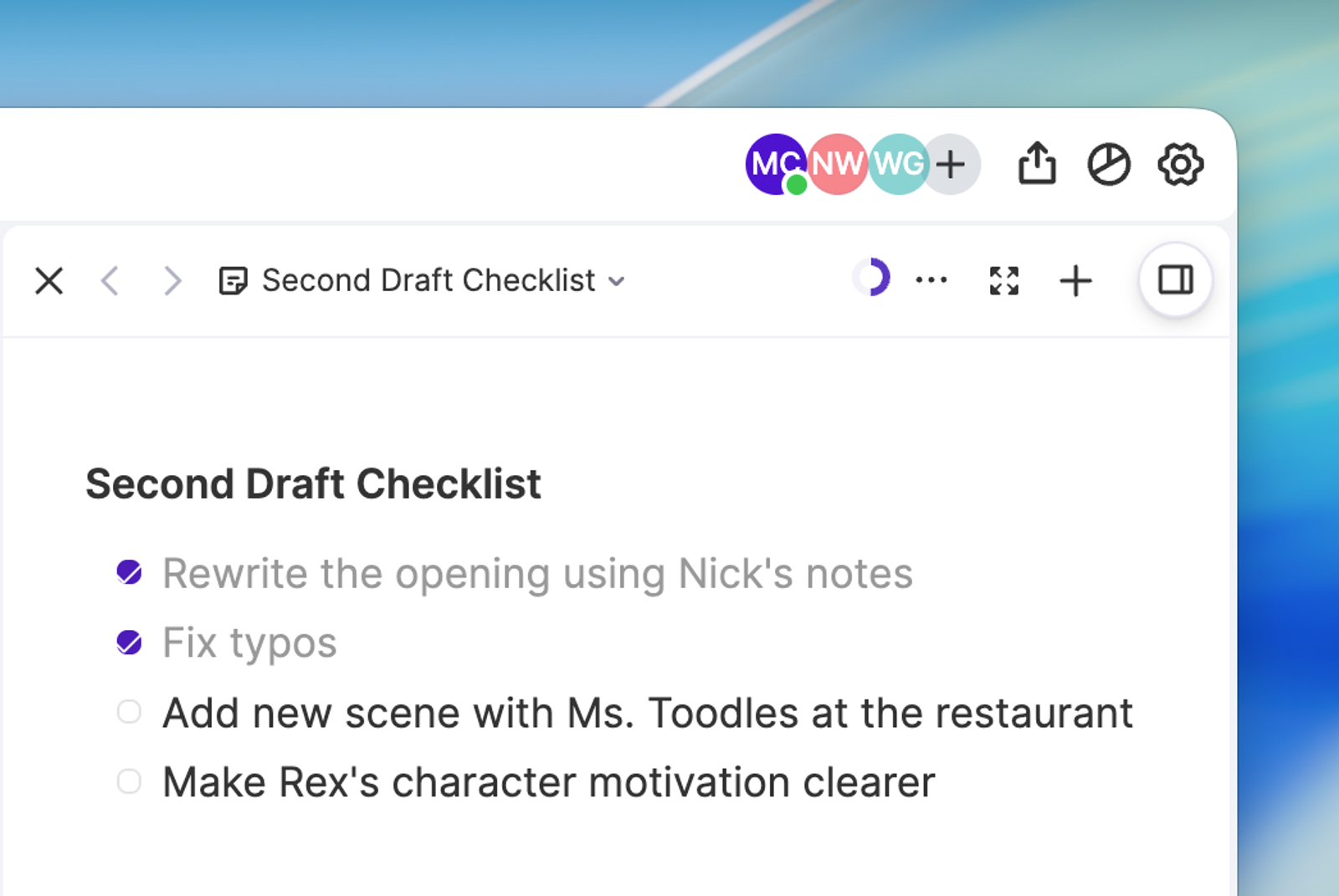
In Arc Studio, return to the script after moving the linked material. The beats and development notes are still there to help you remember what each section needs to do. If the new draft calls for another story turn, you can add a beat from the page and keep developing it in the outline. Arc Studio also lets you create task lists so you can come up with your game plan and check things off as you complete them. Arc Studio Plot Board
In WriterDuet, the order you set in Cards View is already reflected in Page View. You can revise the scenes with your co-writer there and adjust their Outline lines as each scene’s purpose changes. WriterDuet scene reordering · WriterDuet Outline Mode
In Final Draft 13, use Scene View to move drafted scenes into their new positions. Then revise the pages and update any outline prompts you still use in the script. In Final Draft Cloud, you can write and co-write the next draft in the browser. If you did the structural work in Final Draft 13, you can continue from the revised file once it’s in the Vault and can be opened in Final Draft Writer. Final Draft Scene View · Working with Final Draft files in Cloud
Takeaway. Choose Arc Studio if you want revision checklists and to keep writing from the same beats you revised. Choose WriterDuet if scene order and scene summaries are your main guides for rewriting. Choose Final Draft 13 if you want to carry out the scene moves and the rewrite on desktop. Choose Final Draft Cloud if the new structure is settled and you want to focus on the writing pass in a browser.
Which screenwriting software should you choose?
Arc Studio is our pick for writers who want to keep shaping the story from the first idea through the next draft. An idea you explore in Notes can become a beat on the Plot Board, a prompt as you write, and a way to move the scenes it covers when a reader’s note changes your mind. You’ll need to know where each beat is anchored, but the payoff is that the outline keeps doing useful work long after you’ve started writing. You can rethink the story and carry that decision through to the screenplay without rebuilding your plan around the pages you already have.
WriterDuet is a strong choice if you and your co-writer think in scenes and sequences, especially if you regularly share specific drafts for feedback. Final Draft 13 makes sense if you like a freeform board, a structured outline, and a clear handoff to the screenplay. Final Draft Cloud fits writers who want browser-based drafting and review and are comfortable developing the structure in Final Draft 13 or elsewhere.
